07 / Project
Creative operations · Workflow design
The work
behind the work.
Turning scattered campaign requests into a shared way to organize, coordinate and move the work forward.
Intake design · Task architecture · Planning · Team coordination
Fragmented requestsShared visibilityCoordinated workRepeatable delivery
The problem
The work kept moving.
The full picture did not.
Campaign work often began across multiple emails, requests and conversations. Dates, owners and handoffs were spread across separate places, making it harder to see what needed to happen next.
What I built
A clearer path from request to action.
I designed the intake, task breakdown and automation logic using the Microsoft tools already available to the team.
- 01
Define the inputs
Event details, copy and guest-list needs shaped the intake.
- 02
Design the record
Microsoft Lists held the campaign fields, dates and status.
- 03
Build the handoff
Power Automate created Planner tasks and posted the team notification.
- 04
Refine through use
I adjusted the logic as the team used it in day-to-day campaign work.
How the work moved
One request became a plan the team could act on.
At first An event request.
In practice Automated records, one main task, seven subtasks and a Teams handoff.
- 01
Intake submitted
The request supplies event details, draft copy and guest-list needs.
- 02
Record updated
The Microsoft Lists tracker is filled or updated automatically from the intake.
- 03
Tasks created
Power Automate creates one main task and seven subtasks in Planner.
- 04
Owners & dates
The automation assigns and schedules tasks across preparation buckets.
- 05
Team update
A Teams channel message is posted automatically with event details, key dates and the task board link.
- 06
Team execution
The team carries out the work. Tracker status confirms automation completion, not work delivery.
The tools in use
The request, the board
and the handoff.
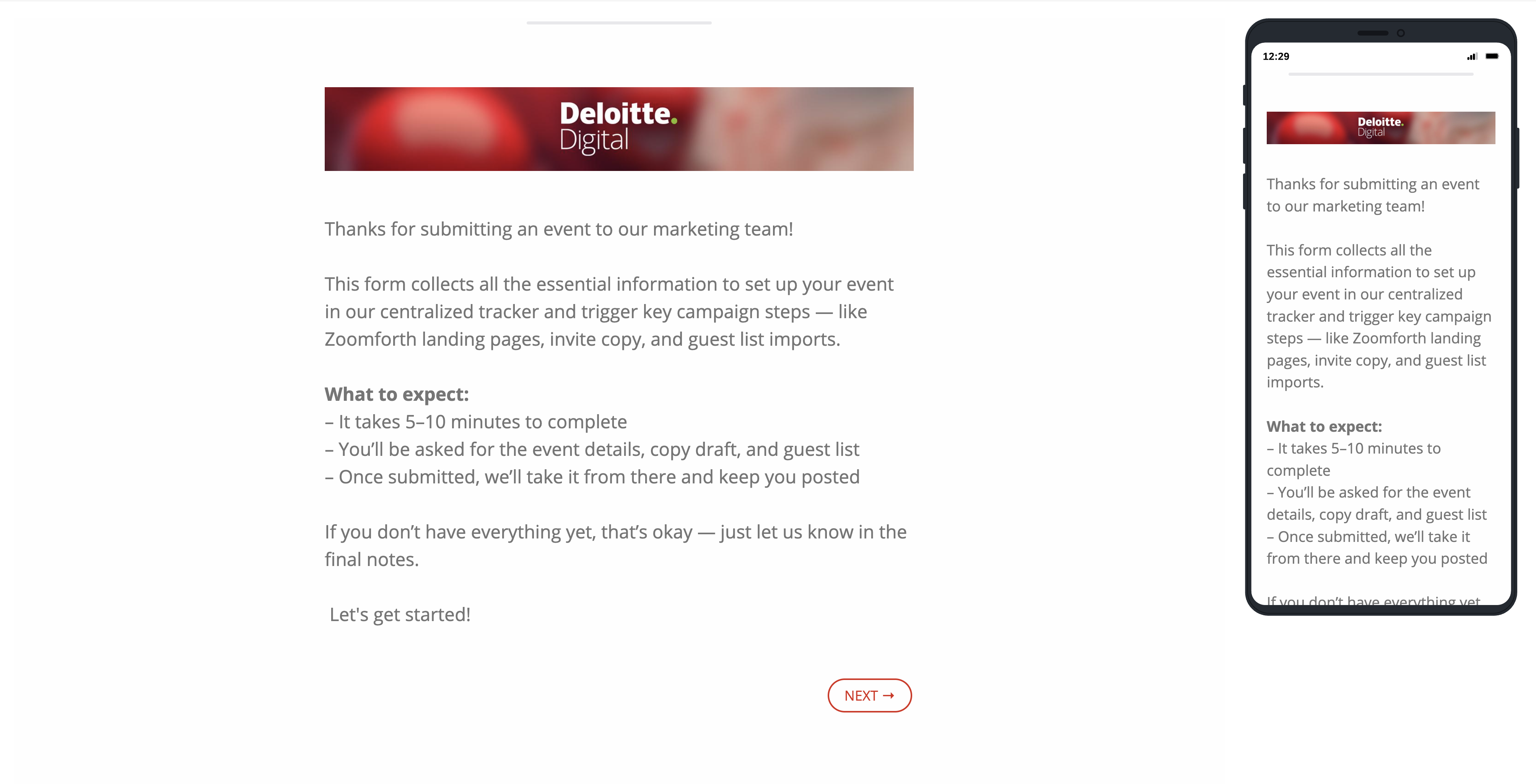
The form tells requesters which event details and materials to prepare.
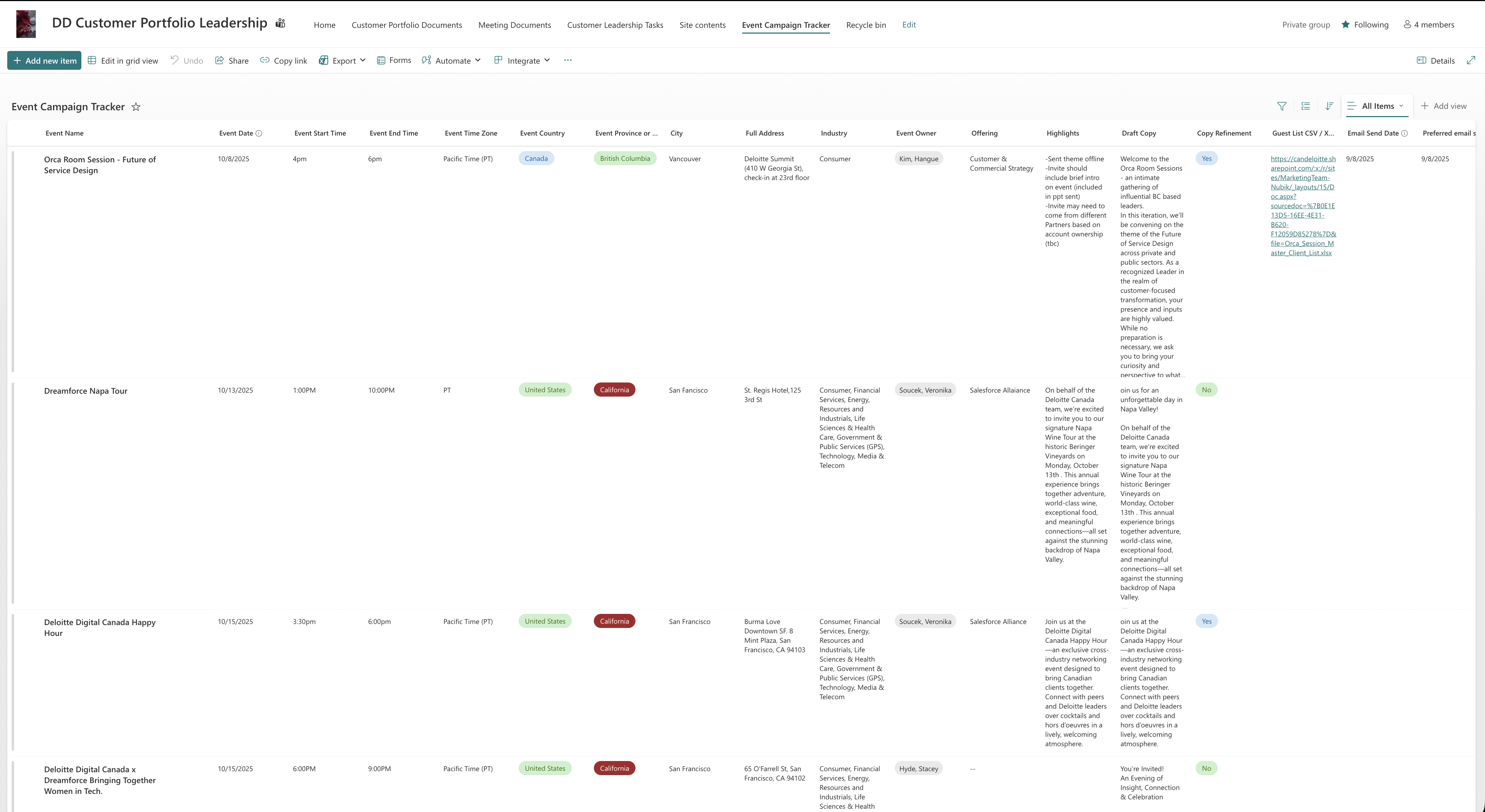
The tracker separates event dates, owners and copy into defined fields.
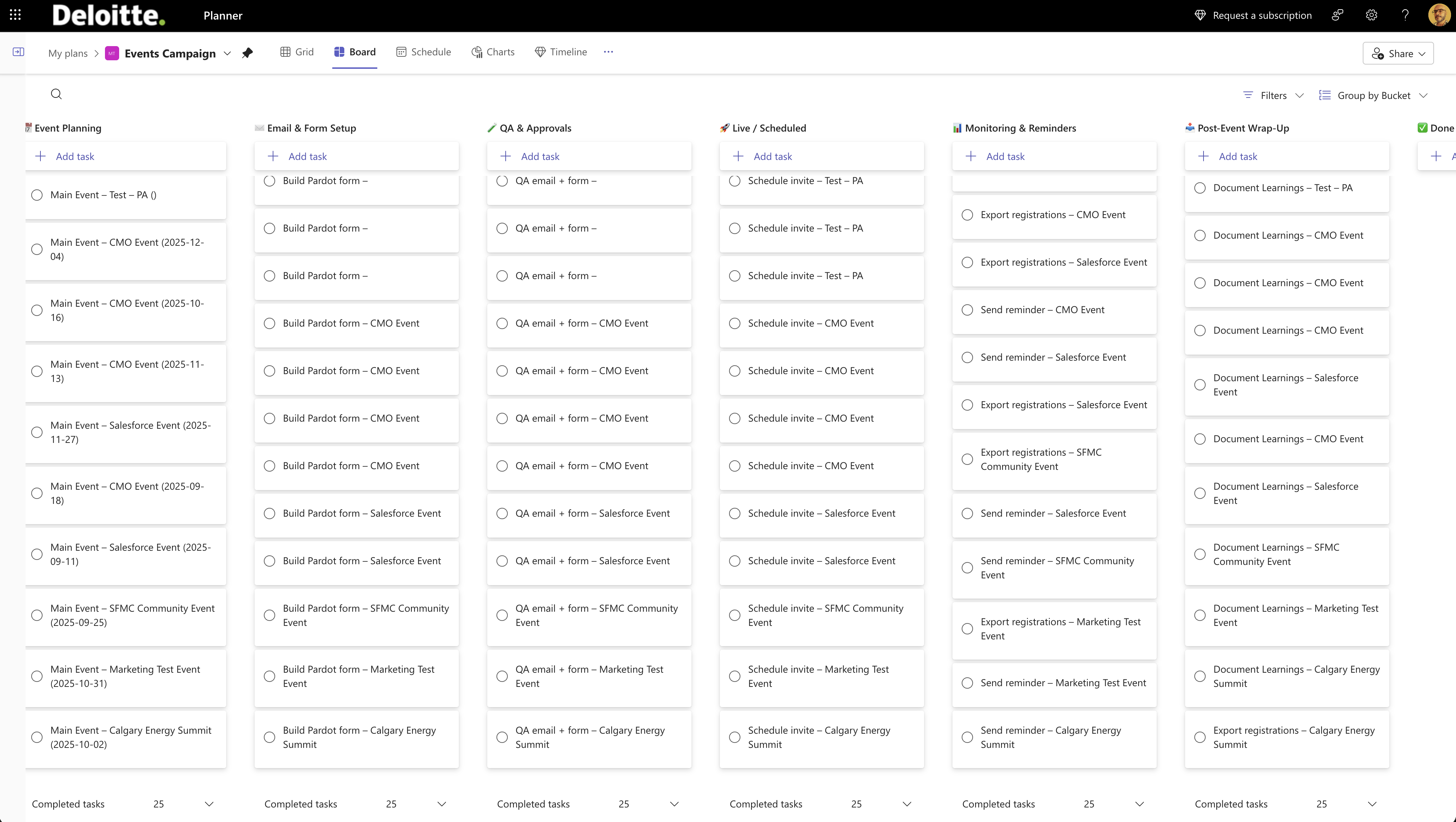
Planner separates the main event, form setup, QA, scheduling and follow-up into buckets.
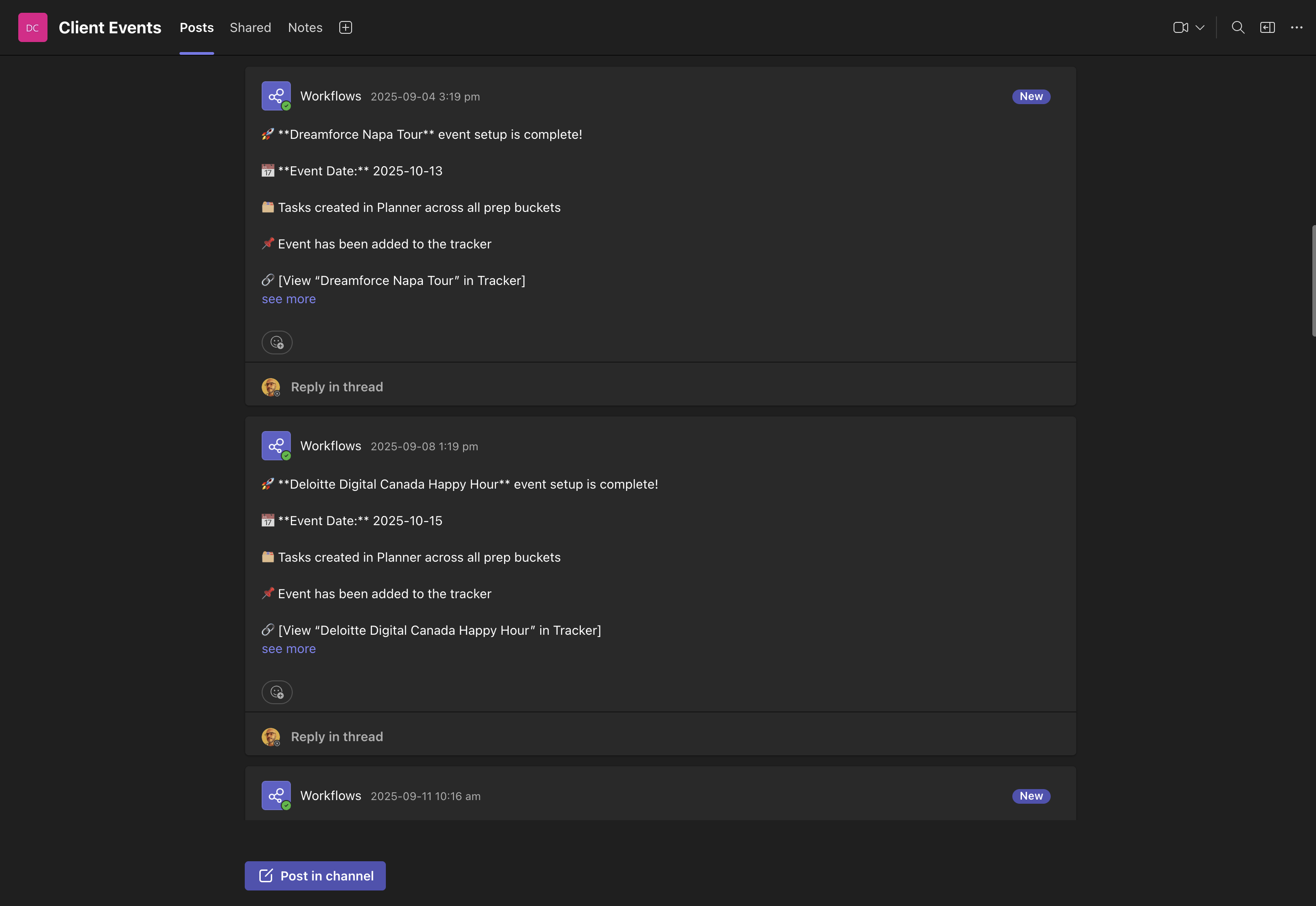
The notification confirms task creation and links back to the event record.
Selected captures from different events show the tools in use, rather than a single event’s complete history.
Outcome
Who owns it.
When it is due.
What happens next.
Ownership, timing and next steps became easier to follow. New requests could use the same intake and task breakdown, giving the team a repeatable starting point for delivery.
Marcus FreitasWorkflow design, task architecture, automation logic, implementation and refinement.
Platform contextImplemented using existing Microsoft Lists, Planner, Teams and Power Automate enterprise tools.